The decision in one minute
Start with three filters: ecosystem compatibility, electrical rating and physical fit.
A smart plug can have a polished app and still be the wrong choice if it does not work with your home platform, cannot safely support the appliance you want to control, or blocks the second outlet.
Matter can improve interoperability across smart-home ecosystems, but the Matter logo is not a substitute for checking the exact product, transport method and electrical specifications.
Step 1: choose the ecosystem before the brand
Decide where you want the plug to appear and how you expect to control it.
Typical questions include:
- Do you use Apple Home, Google Home, Amazon Alexa or another platform?
- Do you want voice control?
- Do you need remote control away from home?
- Will the plug participate in routines with sensors, lights or other devices?
- Do you already have a Matter controller, Thread border router or proprietary hub?
The Connectivity Standards Alliance positions Matter as an interoperability standard intended to help compatible devices work across ecosystems. That can reduce lock-in, but a Matter product still needs the right controller and network environment.
Check the exact model’s certification and supported platforms rather than assuming all smart plugs from one brand behave the same way.
Step 2: treat the electrical rating as a hard limit
The automation features are optional. The electrical limits are not.
Compare the smart plug’s published voltage, current and load rating with the appliance you plan to connect. Some products also specify different limits for resistive loads, motors or other equipment.
Do not assume that because a plug physically accepts an appliance, the combination is appropriate.
Be especially cautious with:
- space heaters;
- portable air conditioners;
- kettles and other high-power heating appliances;
- refrigerators or appliances with compressors;
- power tools or motors with high startup current.
Follow the instructions from both the smart-plug manufacturer and the appliance manufacturer. If either says not to use the product with a certain class of load, that instruction should end the decision.
Step 3: understand Wi-Fi, Thread and hubs
Smart plugs can connect in different ways.
Wi-Fi
Wi-Fi plugs are common and usually connect directly to the home network. Many use 2.4 GHz Wi-Fi because of its range and compatibility.
The benefit is simplicity: you may not need a separate hub.
The tradeoff is that every Wi-Fi smart device becomes another client on the network, and setup quality depends on the manufacturer’s software and your Wi-Fi coverage.
Thread
Some Matter plugs use Thread. Thread is a low-power mesh networking technology and generally requires a compatible Thread border router to connect the Thread network to the rest of your smart-home environment.
A Thread product can be attractive when your home already has the required infrastructure. It is less attractive if buying one plug forces you to add hardware you otherwise do not need.
Proprietary hubs
Some ecosystems use their own bridge or hub. That can add cost and complexity, but it can also create a consistent experience across many devices from the same system.
Do not buy based on a protocol name alone. Buy based on the complete system you will actually operate.
Step 4: Matter helps, but check the certification record
Matter is designed to improve compatibility among participating ecosystems and devices. The Connectivity Standards Alliance maintains certified-product records that can show details such as device type, specification version and transport interface.
That is useful because “Matter compatible” marketing can otherwise be vague.
For a specific plug, verify:
- whether the exact model is Matter certified;
- whether it uses Wi-Fi or Thread;
- which Matter specification version is listed;
- whether your preferred ecosystem supports the features you care about.
A plug can be Matter-compatible and still have manufacturer-specific features that only appear in the vendor app.
Energy monitoring is a good example: availability and how data is exposed can vary by product and platform.
Step 5: measure the outlet
Physical fit is easy to overlook.
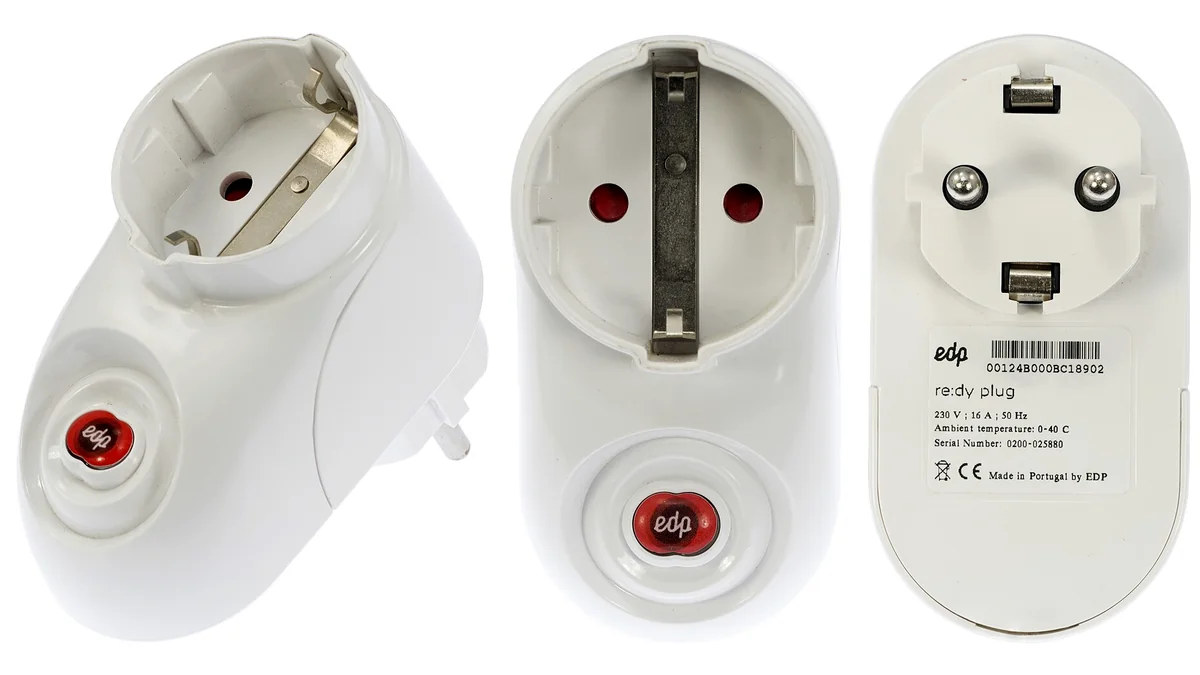
A smart plug that is too tall or wide can block the second receptacle on a duplex outlet. On a power strip, it can cover neighboring sockets.
Before buying, check:
- plug body width and height;
- whether the outlet is horizontal or vertical;
- clearance behind furniture;
- whether two smart plugs can fit side by side;
- whether the physical button will remain accessible.
Compact dimensions often matter more in daily use than one extra software feature.
Step 6: buy for a real automation
List the automation you want before comparing feature lists.
Examples:
- turn a lamp on around sunset;
- switch off a device after a set time;
- run holiday lights on a schedule;
- cut standby power to a group of low-risk electronics;
- turn a fan on only during a specific routine;
- monitor energy use if the plug and platform support it.
This prevents paying extra for features that never leave the app.
If an automation would create a safety risk when it runs unexpectedly, do not use a smart plug for that task. Remote control should never defeat the normal safety assumptions of the appliance.
Step 7: think about local behavior and failure states
A smart plug is still useful when the internet is down only if the relevant control path can continue locally.
Before buying, look for answers to questions such as:
- Do schedules run locally or in the cloud?
- Can the physical button still switch the outlet?
- What happens after a power outage?
- Does the outlet return to on, off or the previous state?
- Can household members control it without sharing one vendor password?
These details rarely appear in headline marketing but can matter more than another voice-assistant badge.
Features that can be genuinely useful
Energy monitoring
Useful when you want approximate consumption data or to identify standby usage. Verify whether the feature is present on the exact model and where the data can be viewed.
Schedules and timers
Useful for lamps, decorative lighting and predictable routines.
Away or randomized lighting
Can make a lighting routine less repetitive while traveling, where supported.
Child lock or button lock
Useful in some locations, though it should not replace physical safety measures.
Compact body
Preserving the second outlet is a daily quality-of-life advantage.
What not to overpay for
A long compatibility-logo list
If you only use one ecosystem, focus on how well the plug works there.
Energy monitoring you will never inspect
It adds value only if you have a real use for the data.
A protocol upgrade that requires several new devices
A Thread plug may not be the simplest choice if you have no Thread infrastructure.
Vague safety language
Prefer clearly published electrical ratings, certification information and manufacturer instructions.
A practical pre-purchase checklist
Before checkout, verify:
- the exact model works with your chosen ecosystem;
- Matter certification if Matter is part of the reason you are buying;
- Wi-Fi, Thread or hub requirements;
- voltage/current/load limits for the intended appliance;
- physical dimensions at the target outlet;
- power-outage behavior if the manufacturer documents it;
- whether schedules or automations depend on cloud access;
- warranty and support terms.
Bottom line
A good smart plug disappears into the routine after setup.
It fits the outlet, stays within the appliance’s electrical requirements, integrates with the platform you already use and supports one or two automations that genuinely save effort.
Matter can make cross-platform compatibility easier, but it does not remove the need to check the exact model, network requirements and load rating. Start with those fundamentals, and treat extra app features as secondary.