
Short answer
Choose a USB-C hub when portability and basic expansion matter most.
Choose a dock when the device will live on a desk and needs to handle charging, multiple displays, Ethernet and several peripherals as one permanent workstation.
The naming is not perfectly standardized. Some products called “hubs” are powerful desk devices, while some “docks” are compact.
Compare capabilities, not the product name.
Core tradeoff
| Factor | USB-C hub | Dock |
|---|---|---|
| Portability | Better | Lower |
| External power supply | Often optional/pass-through | Common |
| Laptop charging | Usually pass-through | Often integrated |
| Display support | Basic to moderate | Often broader |
| Port count | Lower | Higher |
| Cable management | Travel-oriented | Desk-oriented |
Hubs are built around portability
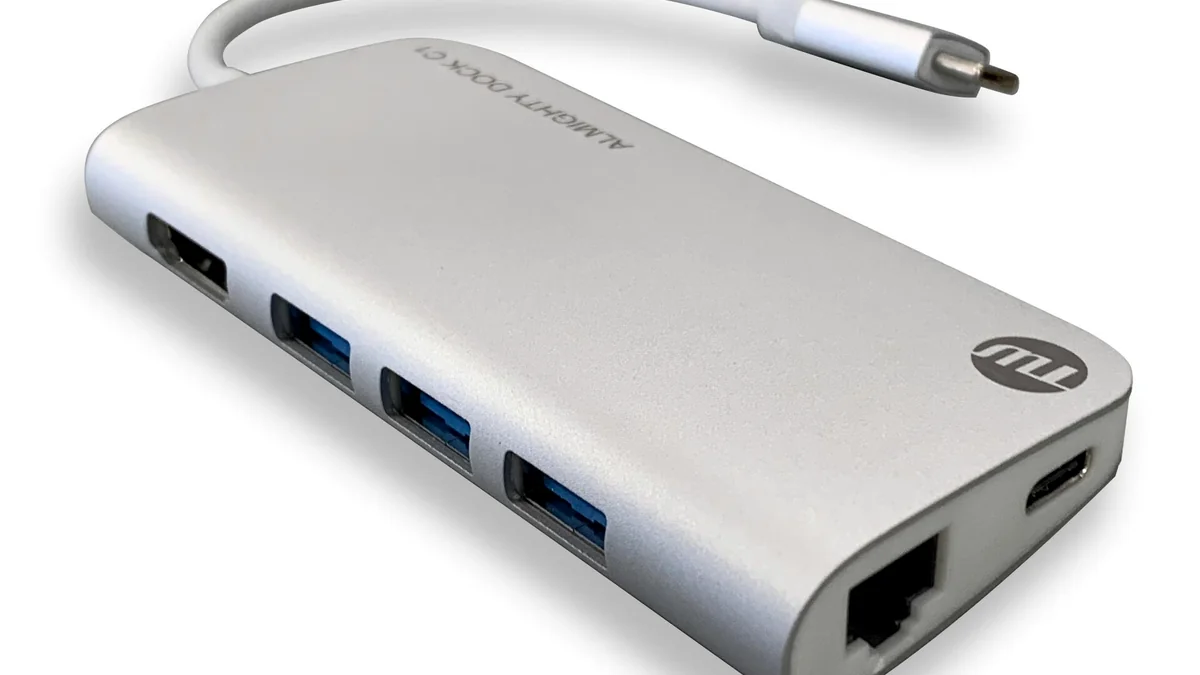
A typical hub uses one short USB-C host cable and adds a handful of ports:
- USB-A;
- HDMI;
- SD/microSD;
- Ethernet;
- USB-C power pass-through.
It may draw power from the laptop and optionally accept a charger for pass-through Power Delivery.
That is ideal for a laptop bag because the same hub can work in a hotel, meeting room or temporary desk.
The compromise is that small hubs have limited physical space, thermal headroom and port count.
Docks are built around permanence
A desktop dock often has its own power supply and remains connected to monitors, Ethernet, storage and input devices.
You arrive, connect one host cable and leave with one cable.
A dock is most valuable when it replaces repeated setup.
Its disadvantages are cost, size and another power brick.
Power delivery is a major divider
Many compact hubs advertise “100W PD,” but that may refer to input power accepted from a charger rather than the full amount delivered to the laptop.
The hub itself consumes some power.
A powered dock can be designed around a stable host-charging budget and may deliver more power consistently.
Compare the host power output, not only the input number.
If your laptop requires 100W or more under load, a hub that passes 60–85W may not be enough for heavy work.
Display support can justify a dock
One 4K monitor is relatively easy for many modern hubs.
Two high-resolution or high-refresh displays create a more demanding problem involving host GPU support, USB-C display mode, dock chipset and operating system.
Docks are more likely to target multi-display workstations, but the exact limits still vary.
Check:
- number of displays;
- resolution and refresh rate;
- mirrored vs extended mode;
- macOS/Windows limitations;
- whether DisplayLink software is required.
Do not assume two HDMI ports means the laptop can drive two independent screens.
Bandwidth is shared in both categories
USB4 can dynamically share a high-speed link among data and display protocols.
Whether the product is called a hub or dock, downstream devices still share the host connection.
A fast SSD, Ethernet adapter, card reader and two monitors may all compete for bandwidth depending on the design.
A dock with more ports does not create unlimited bandwidth.
Cable length changes the experience
Portable hubs often have a short captive cable designed to hang beside a laptop.
That can be awkward on a desk if the laptop is elevated on a stand.
Desktop docks usually allow better placement and cable routing.
If the host cable is removable, confirm the replacement cable needs the right data, display and power capabilities.
Scenario verdicts
Frequent travel: hub.
Single monitor + a few USB ports: hub is usually enough.
Permanent dual-monitor desk: dock is usually the better fit.
High-power laptop: powered dock if it can supply the required wattage.
Minimalist one-cable workstation: dock, if the host supports the required display and charging features.
Bottom line
A hub expands a laptop. A dock anchors a workstation.
If you mainly need ports while moving between locations, buy the smallest hub that covers the required connections.
If you want one cable to transform a laptop into a full desktop every day, a powered dock is usually worth the extra size and cost.
Cost should be compared to the desk you are replacing
A $40 hub and a $200 powered dock do different jobs.
If the hub still requires a separate laptop charger, Ethernet adapter and display adapter, the low purchase price can hide a messier total setup.
A dock can justify its cost when it replaces several adapters and remains connected to all desk peripherals.
For occasional use, that same dock can be needless expense.
Check whether the host cable is captive
A captive cable is convenient for travel because it cannot be forgotten, but it also becomes a single point of wear.
A removable host cable can be replaced, but only with a cable that supports the required data, display and power capabilities.
For a permanent desk, removable can be valuable. For a travel hub, captive can be simpler. Neither design is universally better.
Think about failure and replacement
A hub usually has fewer components and is inexpensive to replace. A dock can become central infrastructure: if it fails, monitors, Ethernet, charging and USB devices can all disappear at once.
For a work-critical desk, warranty and support become more important as the dock takes on more jobs.
A dock can improve ergonomics indirectly
A permanent dock can let the laptop sit on a stand while the keyboard, mouse, monitor and power remain connected in fixed positions. That reduces repeated cable handling and makes it easier to preserve a consistent workstation layout.
The dock itself is not ergonomic equipment, but a stable one-cable setup can make the rest of the desk easier to arrange.
Portability is the tie-breaker
When both products can technically connect your peripherals, ask where the setup lives.
A compact hub is easier to keep in a laptop bag and can be ideal when you only need occasional HDMI, card-reader or Ethernet access. A larger dock earns its desk space when displays, storage, Ethernet, power and peripherals remain connected most of the day.
The dock is not automatically the more advanced choice. It is the better choice only when a permanent, higher-connectivity workstation justifies the extra size, power requirements and cost.